


Planner 5D: AI Home Design
4.47.35K Reviews
App Specs
- Version
- 2.89.0
- Updated On
- License
- Free
- Downloads
- 50,000,000+
- Developer
- Planner 5D
- Categories
- House & Home
- Platform
- Android, iOS
Screenshots
 Analysis by AppCompare
If you're like me and love the idea of designing your dream home but lack the professional skills to bring it to life, then Planner 5D: AI Home Design might just be your new favorite app. I recently got my hands on it, and let me tell you, it's a game-changer in the world of interior design. Let's dive into what makes this app a must-try for aspiring home designers.
Getting Started: First Impressions
When you first open Planner 5D: AI Home Design, the sleek and intuitive interface immediately stands out. The app doesn't overwhelm you with options, which is perfect if you're a beginner like me. The onboarding process is smooth, and within minutes, you're ready to start designing. The app offers a variety of templates to kick off your project or you can go rogue and start from scratch, which I found quite liberating.
Features That Shine
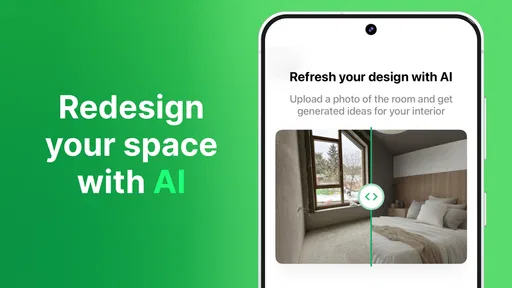
One of the standout features that caught my attention is the AI-powered design suggestions. This feature feels like having a mini interior designer in your pocket. The AI analyzes your space and offers layout suggestions, which is super helpful if you're stuck in a creative rut. I found myself experimenting with layouts I would never have considered on my own.
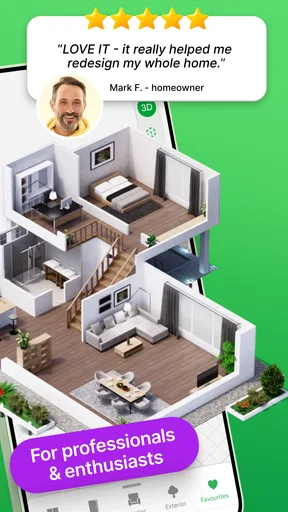
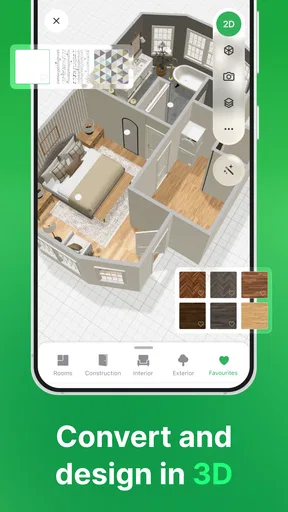
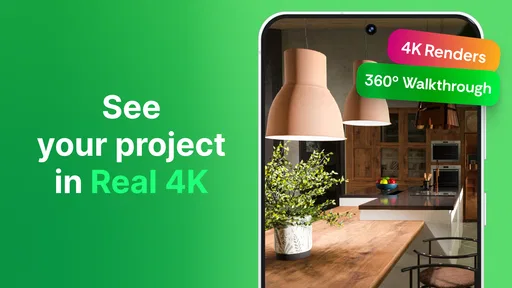
The app also supports both 2D and 3D design modes. The 3D mode is particularly impressive, allowing you to walk through your designs as if you're actually in the space. It's like having a virtual open house tour, and it's incredibly satisfying to see your ideas come to life in such a realistic way.
Customization and Flexibility
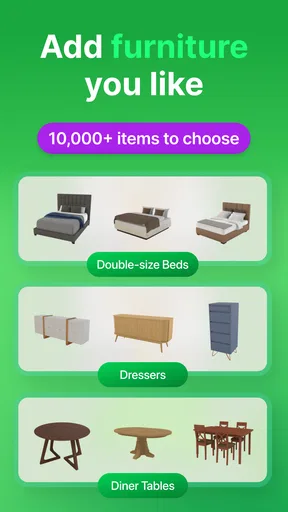
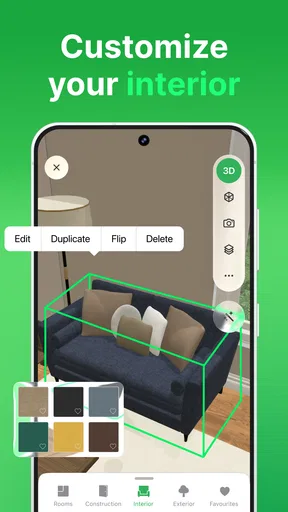
Planner 5D offers an extensive library of furniture, decor, and materials to choose from. I spent hours just playing around with different combinations of sofas, tables, and wall colors. The level of detail you can achieve is astonishing. You can adjust everything from the texture of a floor tile to the exact shade of paint on the walls.
Another cool feature is the ability to import your own textures and designs. If you're someone who likes to put a personal touch on things, this feature offers endless possibilities. I uploaded a few of my own patterns and was thrilled with how seamlessly they integrated into my designs.
User Community and Support
The app has a thriving user community where you can share your designs and get feedback. It's like having a supportive design club at your fingertips. I uploaded one of my projects and received some great tips from other users, which helped me refine my design further.
Worth Reading Before You Choose

Baby Panda World Brings Quick Play to Modern Phones, but Its Game Library Feels Busy

ESPN’s Live Game View Makes Following Close Games Easier

QuizzLand Review: A Good Fit for Short Trivia Breaks, Not Every Player

Basketball Stars: Multiplayer Is Fast, but Can It Recover When Matches Go Wrong?

WEBTOON Turns Phone Updates Into a Better Reading Routine

Link to Windows Runs on Shared Habits, Not Social Feeds
In terms of support, the app offers a comprehensive help section and responsive customer service. I had a minor issue with exporting a design, and the support team was quick to resolve it. It's always reassuring when an app has your back.
In conclusion, Planner 5D: AI Home Design is an absolute joy to use. Whether you're a seasoned designer or just someone who loves to dabble in home decor, this app provides the tools and inspiration to create beautiful spaces. It's easy to get lost in a world of creativity and ideas, and for me, that's the ultimate win. So go ahead, unleash your inner designer; your dream home awaits!
Pros
- User-friendly interface for easy navigation.
- Wide range of customizable design elements.
- AI assistance speeds up design process.
- High-quality 3D visualization features.
- Cross-platform compatibility with cloud sync.
Cons
- Requires internet for full functionality.
- Limited features in the free version.
- Occasional lag with complex designs.
- Some features locked behind paywall.
- Learning curve for advanced tools.
FAQs for Planner 5D: AI Home Design
What platforms is Planner 5D: AI Home Design available on?
Planner 5D: AI Home Design is available on both Android and iOS platforms, allowing users to easily download the app from the Google Play Store or the Apple App Store. This cross-platform availability ensures that users can access their projects seamlessly across different devices.
Is Planner 5D: AI Home Design free to use?
Planner 5D offers a free version with basic features, which is perfect for casual users. However, for those seeking more advanced tools and a wider variety of design elements, there are in-app purchases and subscription options available. These unlock premium features and provide a more comprehensive designing experience.
Can I use Planner 5D without an internet connection?
Yes, Planner 5D allows users to work offline, making it convenient for designing on the go without needing a constant internet connection. However, internet access is required for downloading additional content and for syncing projects across devices to ensure your designs are always up to date.
How user-friendly is Planner 5D for beginners?
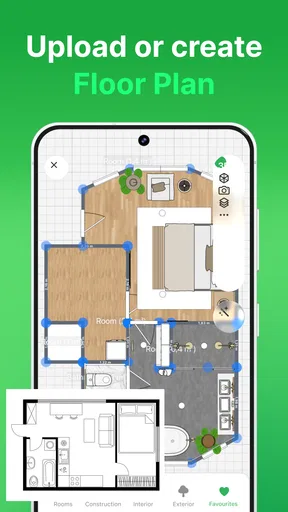
Planner 5D is designed with an intuitive user interface, making it accessible for beginners. The app includes tutorials and guides to help new users navigate the design process, from creating floor plans to adding furniture. Its drag-and-drop functionality makes it easy to visualize spaces without prior design experience.
Does Planner 5D support collaboration with other users?
Planner 5D allows users to share their projects with others, enabling collaboration. While it does not support real-time collaboration, users can export designs and share them via email or social media. This feature is particularly useful for seeking feedback or working with clients remotely.


